Linking
One of the most important HTML5 features is the hyperlink, which provides links to other resources which may be of any type (word document, pdf, ppt, images, videos, etc.,). When a user clicks a hyperlink, it navigates to the particular resource. Any displayed element can act as a hyperlink. Web browsers
typically underline text hyperlinks and color the text blue by default; example
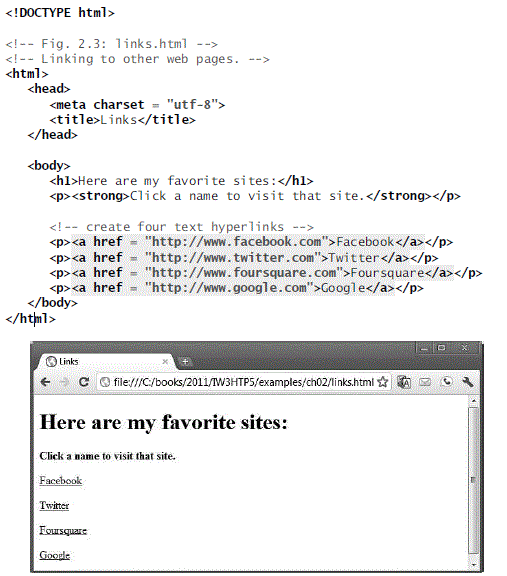
google. The browser changes the color (to purple) of any text link once you’ve clicked the link. Example google. If the web server cannot locate a requested document, it returns an error indication to the web browser (known as a 404 error), and the browser displays a web page containing an error message. Links are created using anchor tag <a> along with the attribute href to specify the location of the resource. The location may be
Following figure shows a HTML5 document describing the usage of hyperlinks.
Hyperlinking to an E-Mail Address
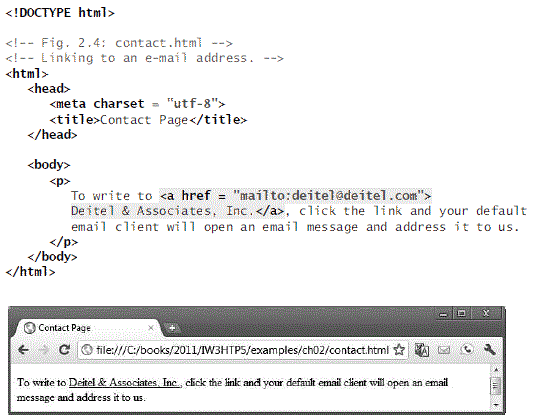
Anchors can link to e-mail addresses using a mailto: URL. When the user clicks this type of anchored link, most browsers launch the user’s default e-mail program to enable the user to write an email message to the linked address. The form of an e-mail anchor is <a href = "mailto:emailAddress">…<&bslash;a>. This type of anchor is demonstrated in the following Figure:
Images
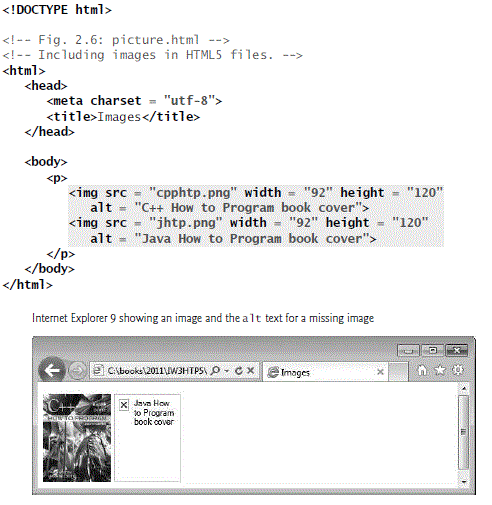
Web pages may also contain images, animations, graphics, audios and even videos. The most popular image formats used by web developers today are PNG (Portable Network Graphics) and JPEG (Joint Photographic Experts Group) and may also be of GIF (Graphics Interchage File) format. The img element can be used to include an image in the document. The image file’s location is specified with the src (source) attribute. Optional attributes width and height specify the image’s dimensions. If these attributes are omitted, the browser uses the image’s actual width and height. Images are measured in pixels.
Special Characters and Horizontal Rules
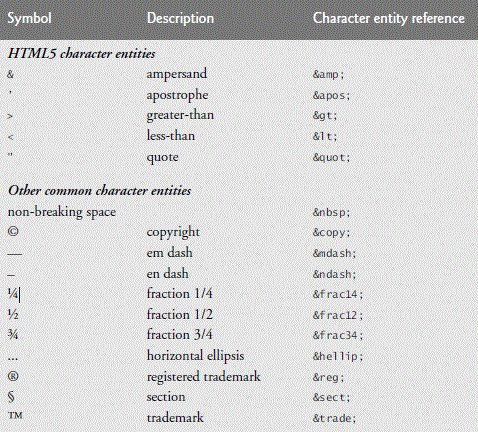
Special characters can't be included directly into a html document. HTML5 provides character entity references (in the form &code;) for representing special characters. Click on the link below to find a list of character entity references.
HTML5 character entity references
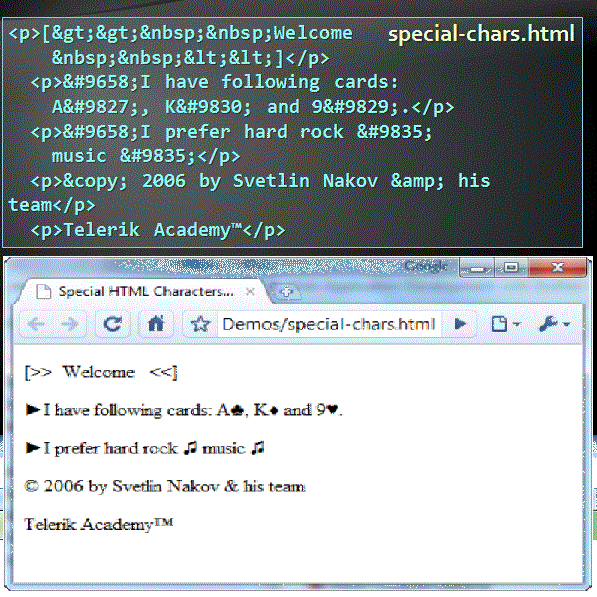
Click here to look into an example html code and its output
List
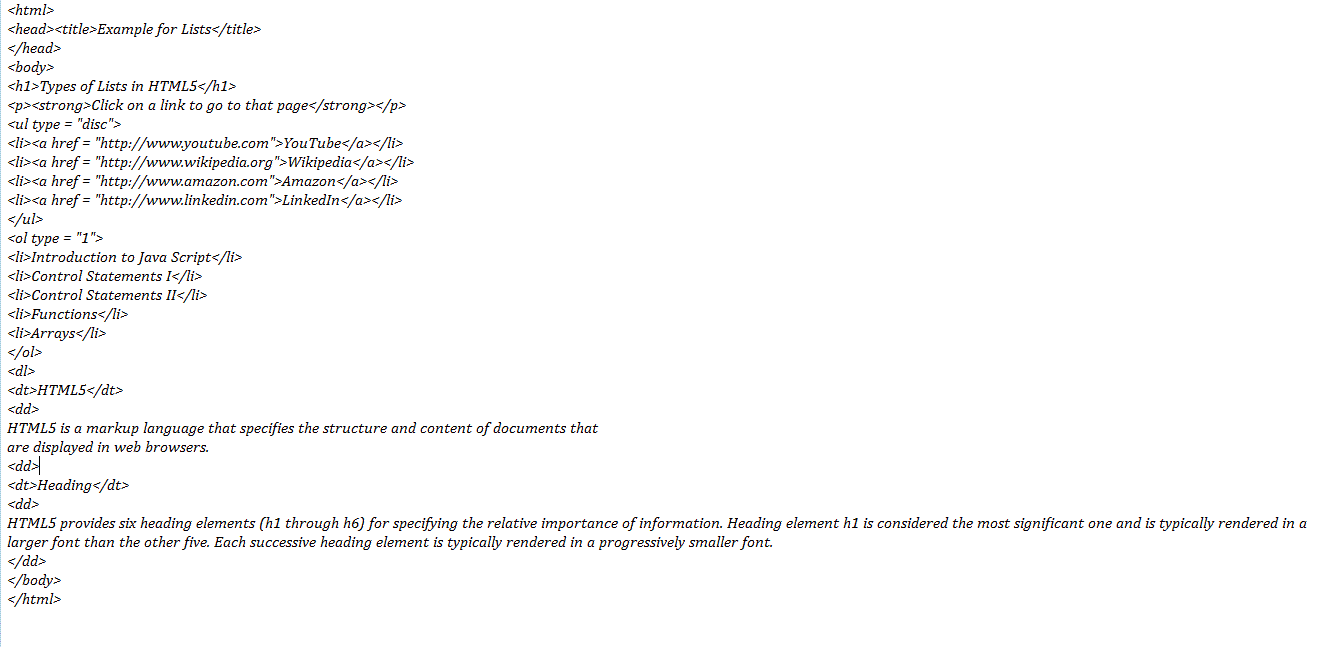
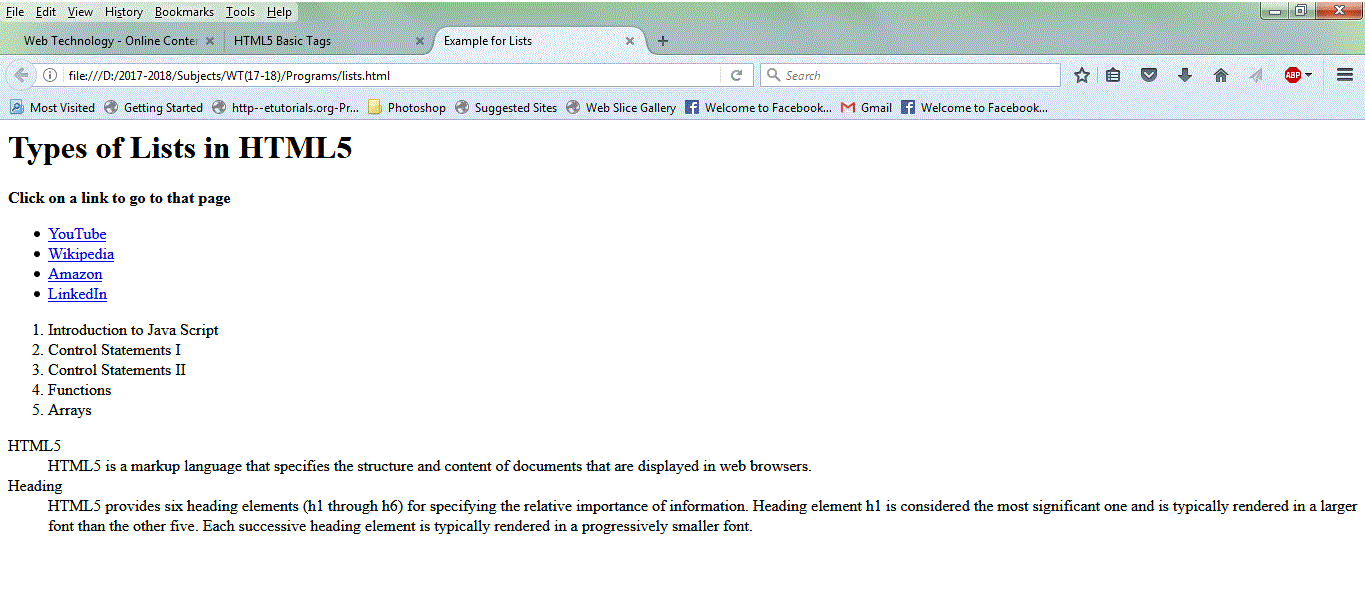
Lists are used to organize content as bulleted or numbered lists. HTML5 provides 3 types of lists:
- Ordered list (<ol> tag)- to display content as numbered lists
- Unordered list (<ul> tag)- creates a list in which each item begins with a bullet symbol
- Definition list (<dl> tag) - to display definition along with its keyword